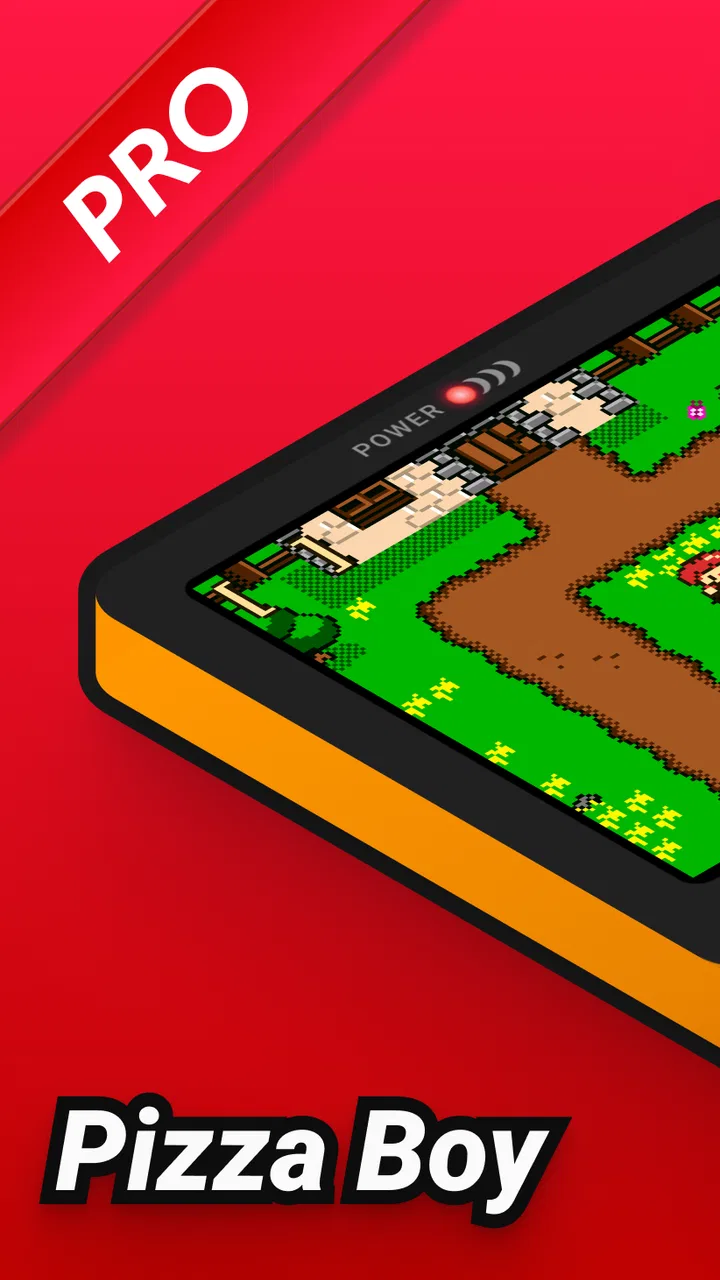
Pizza Boy C Pro
- 4.3
- Rating
- 50.00K
- Installs
- $5.99
- Price

 Analysis by App-foxy
Choosing an emulator is less about finding the longest feature list and more about deciding what kind of handheld experience you actually want. I approached Pizza Boy C Pro as an everyday gaming tool rather than a technical showcase: something to open for a quick session, return to later, and use without turning every launch into a configuration project. It is an arcade-category game from Pizza Emulators, built around precise emulation of an 8-bit handheld system, and its appeal becomes clearer once you separate convenience from nostalgia and accuracy from sheer flexibility.
My first impression was that this is aimed at players who already know why they want a dedicated handheld emulator. It is not trying to replace every retro platform in one application. Instead, its value comes from focusing on one family of classic games and making that experience feel consistent. That narrow purpose is important when comparing it with broad multi-system alternatives, because a specialist tool can be easier to live with even when it offers less overall coverage.
How I Decide Whether This Emulator Fits
The most useful question is not simply whether an emulator can start a game. Almost any serious option needs to pass that basic test. I look at how quickly I can get from opening the app to playing, whether the controls remain comfortable during longer sessions, how much setup is involved, and whether returning to an unfinished game feels effortless. I also care about how well the app suits different situations: a few minutes on a commute, a quiet evening with a physical controller, or a longer session where small interface annoyances become obvious.
You May Also Like

 Blood Strike: 2.5 Anniversary
Blood Strike’s Loadouts Turn Every Drop Into a Tactical Gamble
A close look at Blood Strike’s custom loadouts: how fast access to signature weapons reshapes its battle royale rhythm, rewards preparation, and narrows the gap between fights.

 Pandora - Music & Podcasts
Pandora’s Music Is Easy to Start, but Harder to Recover
Pandora’s strength is its low-effort path from a seed to a station. Its weak spot is how much confidence it asks you to place in connection, setup, and quiet recovery.

 8 Ball Pool
 Is Built on Rivalries, Rematches, and Routine
A close look at the rivalries, rematches, shared routines, and unanswered safety questions that turn a quick pool match into a persistent mobile community.

 Samsung Music
’s Quiet Strength Is Playing What You Already Own
Its reach comes less from spectacle than from dependable access to a personal library. That simplicity is both the app’s strongest retention engine and its ceiling.

 AccuWeather: Weather Radar
AccuWeather Review: A Quick, Clear Forecast for Everyday Decisions
For everyday plans, the best forecast is the one you can understand quickly. AccuWeather makes rain timing, radar, and local conditions easy to act on, with a few trade-offs.

 Hill Climb Racing
Why Hill Climb Racing Still Turns Crashes Into One More Run
A tiny car, a bumpy hill and one more upgrade: Hill Climb Racing keeps resurfacing because its simple chaos makes every near-miss feel personal.
More From Our News Desk
View All News


That is where the precise-emulation focus matters. Classic handheld games often depend on timing, responsive input, and the particular rhythm of their original hardware. A game can technically run while still feeling wrong if controls lag, sound behaves strangely, or the display makes the old graphics difficult to read. Pizza Boy C Pro is most interesting for users who would notice those details and would rather have a focused experience than a general-purpose toolbox.
The app costs $5.99, which changes the decision. A free emulator may be perfectly adequate for someone who plays occasionally and does not mind experimenting. Paying for this one makes more sense if you expect to use it repeatedly, value a cleaner dedicated experience, or want to avoid moving between several loosely configured apps. I would not treat the price as a casual impulse purchase for someone who is only curious about retro gaming.
It is also worth considering the device itself. The minimum operating-system requirement is Android 7.0, so the app is not intended for every very old Android phone. On a compatible device, the practical issue is less raw power than comfort: screen size, touch-control placement, battery habits, and whether you have a controller available. A technically capable phone can still be a poor handheld if the virtual buttons cover too much of the picture or your hands tire quickly.
A focused tool instead of an all-in-one collection
Many people begin with a multi-system emulator because it promises one place for everything. That approach is attractive when a library spans several generations, but it can also bring more menus, more platform-specific settings, and more chances to forget which configuration belongs to which game. Pizza Boy C Pro takes the opposite route. Its identity is tied to one 8-bit handheld category, so the decision is straightforward: buy into that focused workflow or choose breadth.
For me, specialization is useful when I am revisiting a particular kind of library. I can keep the app associated with that style of play instead of treating it as a storage cabinet for every retro system. If your interest is mainly this handheld generation, the narrower scope feels intentional rather than restrictive. If you want arcade machines, home consoles, and several handheld families together, a broader alternative may be more practical even if it feels less polished for this one platform.
What the everyday experience is like
A realistic use case is a short evening session after work. I may have only twenty minutes, so I do not want to spend that time remembering settings or rebuilding a control layout. A focused emulator earns its place when I can resume the habit of playing rather than managing the software. The old games themselves are usually designed around brief, repeatable sessions, and that makes a handheld emulator especially suitable for small pockets of free time.
Touch controls are convenient, but they are not automatically ideal. On a phone, the screen has to show the game and the controls at the same time. I found that the right setup depends heavily on the title: a slower game can tolerate a less-than-perfect virtual layout, while a fast action game exposes every awkward button position. I would test several sessions before deciding whether the phone alone is enough. If you already own a compatible physical controller, that may be the better way to judge the emulator’s responsiveness and make longer play more comfortable.
The important trade-off is focus versus coverage. Pizza Boy C Pro can be a better daily choice than a giant emulator suite when you want one dependable destination for this specific handheld experience. It is a weaker choice if your main goal is to consolidate many unrelated systems under one interface. Neither approach is universally superior; they serve different habits.
Details that matter beyond the store summary
One useful workflow is to separate “testing” from “settling in.” During the first session, I would check a representative mix of games rather than judging the app from one title. Try something that relies on precise directional input, something that uses several buttons frequently, and something slower where text and menus matter. This reveals whether the controls, screen arrangement, and sound presentation suit your library instead of merely proving that a game launches.
Another practical tip is to treat save management as part of your routine, not an emergency tool. When I return to a classic game after a busy day, I want a clear way to continue without replaying a long opening section. I would establish a simple habit of using normal in-game saves where possible and keeping any quick-resume method as a convenience rather than the only record of progress. That approach reduces frustration if I change devices, adjust settings, or accidentally close the app at the wrong moment.
I also recommend keeping the visual presentation restrained at first. Retro graphics can look worse when modern display effects are piled on without considering the original pixel structure. Start with the cleanest readable view, then adjust only when a particular game benefits from it. This is a small point, but it helps preserve the character of 8-bit artwork and makes it easier to tell whether a display adjustment is genuinely helping.
Finally, I would create a short “comfort check” before committing to long sessions. Play for fifteen minutes while holding the phone normally, then inspect whether your thumbs are covering important areas or whether the virtual controls make repeated actions tiring. This is not a benchmark of the emulator; it is a reminder that the phone is now acting as a handheld. The best software cannot fully solve an uncomfortable grip or a cramped display.
Who will appreciate the focused approach
This is a strong match for someone who has a clear interest in 8-bit handheld games and wants a dedicated app rather than a universal retro front end. It also suits players who value consistency: one place for a particular library, one familiar way to start a session, and fewer distractions from unrelated systems. The app’s Everyone age rating makes it broadly approachable from a content-classification perspective, although parents should still consider which game files are being used and whether the device itself is appropriate for a child.
It is also appealing to a returning fan who has not touched these games for years. The phone is always nearby, and a focused emulator lowers the barrier between remembering a title and actually playing it. I like that kind of convenience more than a feature list I rarely use. The best retro tools often disappear into the background; I notice them when they let me play, not when they ask me to configure them.
On the other hand, I would hesitate to recommend it to someone who has not decided which retro systems they enjoy. Paying for a specialist app before understanding your own preferences can lead to a second purchase later. A broad alternative may be a better first step for exploration, especially if you want to compare different generations in one place. The same applies to users who primarily play with a platform-specific controller setup or expect every emulator to behave identically across different systems.
How it compares with the usual alternatives
The common alternatives fall into three groups. The first is a free emulator dedicated to the same handheld family. That option may be enough if your sessions are rare and you are comfortable accepting a less refined workflow. The second is a multi-system emulator, which wins on library breadth and can reduce the number of apps installed. The third is playing on original hardware, which offers the most authentic physical feel but is less convenient for carrying, maintaining, or accessing a library.
Pizza Boy C Pro sits between those choices. It is more deliberate than using the first free option you find, but less expansive than a universal emulator. It cannot reproduce the feel of original buttons on a touchscreen, yet it is much easier to keep with you than a separate handheld. I see its strongest position as a practical middle ground for people who care about this particular system and want modern convenience without turning the experience into a large technical hobby.
There is a hidden cost when switching from an all-in-one emulator: organization. Your existing game files, saves, controller preferences, and personal routines may not move over in the way you expect. Before changing apps, I would identify which progress files matter, make a safe copy using the device’s normal file tools, and test one title before migrating everything. This is especially important if you have invested many hours in a long game. The emulator’s purchase price may be simple; the time spent rebuilding a library is the part people often underestimate.
Switching in the other direction has a cost too. If you leave a focused app for a general emulator, you may gain platform support while losing the feeling of a dedicated home for this handheld library. Menus can become more complex, and settings may need to be revisited for each system. That may be a worthwhile exchange for a large mixed collection, but it is not automatically an upgrade for someone who mostly plays one type of game.
What the current release tells me
The app was released on February 27, 2017, and the current version is 7.4.5. Those details place it in the category of an established project rather than a brand-new experiment. I would still judge it by present-day use, but a long-running app can be reassuring for users who want a mature tool instead of something that feels unfinished. At the same time, an older release history means expectations should remain realistic: this is a focused retro utility, not a modern game platform designed around current blockbuster hardware.
Its audience appears substantial enough to make the app feel like a known choice within its niche, with over 50 thousand installs. The average rating is 4.3 from around 1.2 thousand ratings, alongside roughly 260 written reviews. I read that combination as encouraging but not absolute proof that every device and every user will have the same experience. Ratings tell me there is a satisfied audience; they do not remove the need to test controls, display comfort, and the specific games I care about.
Pizza Emulators has kept the product positioned clearly: a paid, specialized arcade game rather than a free catalog or a general gaming subscription. That clarity helps me decide. I know I am paying for a particular kind of tool, not buying access to a broad collection of games. Anyone considering it should make the same distinction and ensure they already have a legitimate, compatible way to use the games they want to play.
My recommendation after weighing the trade-offs
I recommend Pizza Boy C Pro to Android users who specifically want a polished-feeling 8-bit handheld emulator and expect to return to it often. The $5.99 cost is easiest to justify when the app replaces repeated tinkering and becomes the regular home for a favorite library. I would especially choose it for short, frequent sessions where a focused interface matters more than supporting every retro platform at once.
I would skip it for now if your priority is maximum system coverage, if you are still exploring which retro hardware interests you, or if you dislike paying for a specialist app before testing the category. In those cases, a broad alternative may fit your decision better. Original hardware is also the better answer for someone who cares most about physical buttons, authentic screen behavior, and the tactile experience that a phone cannot fully recreate.
For everyone else, my advice is practical: confirm that your Android device meets the operating-system requirement, try the app with several types of games, and spend time adjusting the control position before forming an opinion. Do not judge it only from a quick launch. Its value appears when the setup fades away and the games become the focus.
After using it as a dedicated rather than universal emulator, I see Pizza Boy C Pro as a confident recommendation for a clearly defined audience. It does not need to serve every retro player. Its best quality is that it understands the appeal of concentrating on one handheld generation and making that choice convenient on a phone. If that is the experience you want, it is worth considering; if your needs are broader, the alternatives are likely to save you from switching later.
FAQs for Pizza Boy C Pro
01What is Pizza Boy C Pro?
Pizza Boy C Pro is a premium Game Boy Color emulator for Android designed to run compatible classic titles on modern devices. It focuses on accurate emulation, responsive controls, save-state support, customization, and a clean interface. It does not include commercial games, so you must legally obtain and use your own game files. Compatibility and performance can vary depending on the device and the specific title.
02Does Pizza Boy C Pro include Game Boy Color games?
No. Pizza Boy C Pro is an emulator, not a game collection, and it does not provide copyrighted ROMs for download. After installing the app, you need to load legally obtained game files from your device storage. Users should only create or use backups of games they own and follow the copyright laws applicable in their country. The app itself is intended to provide the emulation tools and controls.
03What features does Pizza Boy C Pro offer?
Pizza Boy C Pro provides features aimed at making classic handheld games more convenient to play, including save states, customizable on-screen controls, controller support, screen and audio options, fast-forward functionality, and other emulation settings. The paid version is generally intended for users who want a more complete experience than a basic emulator. Available options may differ according to the app version and Android device.
04Does Pizza Boy C Pro work well on all Android phones?
The emulator is designed to run efficiently on many Android devices, including older phones, but results are not identical everywhere. Performance can depend on the processor, Android version, display settings, controller configuration, and the game being emulated. Most compatible Game Boy Color titles should run smoothly on supported devices, although occasional audio, graphics, or control issues may occur with particular files or configurations.
05Is Pizza Boy C Pro worth downloading?
Pizza Boy C Pro can be a worthwhile choice if you want a polished way to play legally owned Game Boy Color games on Android and value features such as save states, customizable controls, and reliable performance. Its main limitations are that it requires your own game files, is intended for Android rather than iOS, and may need some setup to achieve the best controls and display settings. Consider your device compatibility before purchasing.
Pros
- Accurate emulation with smooth performance on many Android devices.
- Supports save states
- quick loads
- and automatic backup options.
- Customizable on-screen controls improve comfort during long sessions.
- Includes useful visual filters and display scaling choices.
- Controller support makes platform games easier to play precisely.
Cons
- It is a paid app
- which may discourage users seeking a free emulator.
- Some advanced settings can feel confusing for first-time emulator users.
- On-screen controls may cover parts of the game on smaller displays.
- Compatibility and performance can vary between different ROMs.
- Users must provide their own legally obtained game files.

Pizza Boy C Pro
Gallery